The connector does not fitSATA and IDE have different connectors. Make sure you purchased the correct enclosure for your hard drive. Pictures are below.If you just removed a hard drive from your computer, there may be a connector piece attached to the hard drive. Unscrew (if required) or pop off the connector and you should expose the standard IDE or SATA connector. Your hard drive should now fit the connector in the enclosure.  IDE Hard Drive 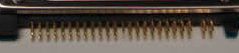 Laptop Connector Piece 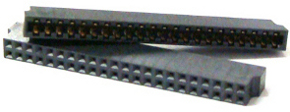 I plug it in and nothing happensIs it a new hard drive?You probably need to partition and format the hard drive. Click on the version of Windows you have for the relevant Microsoft help page: Windows XP Windows Vista Windows 7 Is it an old hard drive? It is possible that your old hard drive does not work. 98% of 'defective' enclosure returns work fine when we test them. Please take the time to confirm that you are not using a defective hard drive. The drive does not fit into the enclosureSome 1TB+ laptop drives are physically larger then the standard hard drive size. If your drive is 1TB+ in size, and it does not physically fit, please let us know immediately.I have no scews!The connection adapter often times snaps right on without screws. If the model of enclosure you ordered should have screws and you did not recieve them, please let us know. |